Skip to content

GS: Add a Vulkan renderer#5224

Merged
refractionpcsx2 merged 21 commits intoPCSX2:masterfrom
stenzek:vulkan-pr
Jan 8, 2022
Merged

GS: Add a Vulkan renderer#5224
refractionpcsx2 merged 21 commits intoPCSX2:masterfrom
stenzek:vulkan-pr

Conversation

@stenzek
Copy link
Contributor

@stenzek stenzek commented Dec 28, 2021

Description of Changes

What the title says :)

Been working on this for a while, but it would be nice to get some testing from a wider range of devices. Originally it was tied to the Qt PRs, but I've moved the commits around so it's qt-base-2 > vulkan -> full qt interface.

The main advantages to Vulkan over Direct3D/GL:

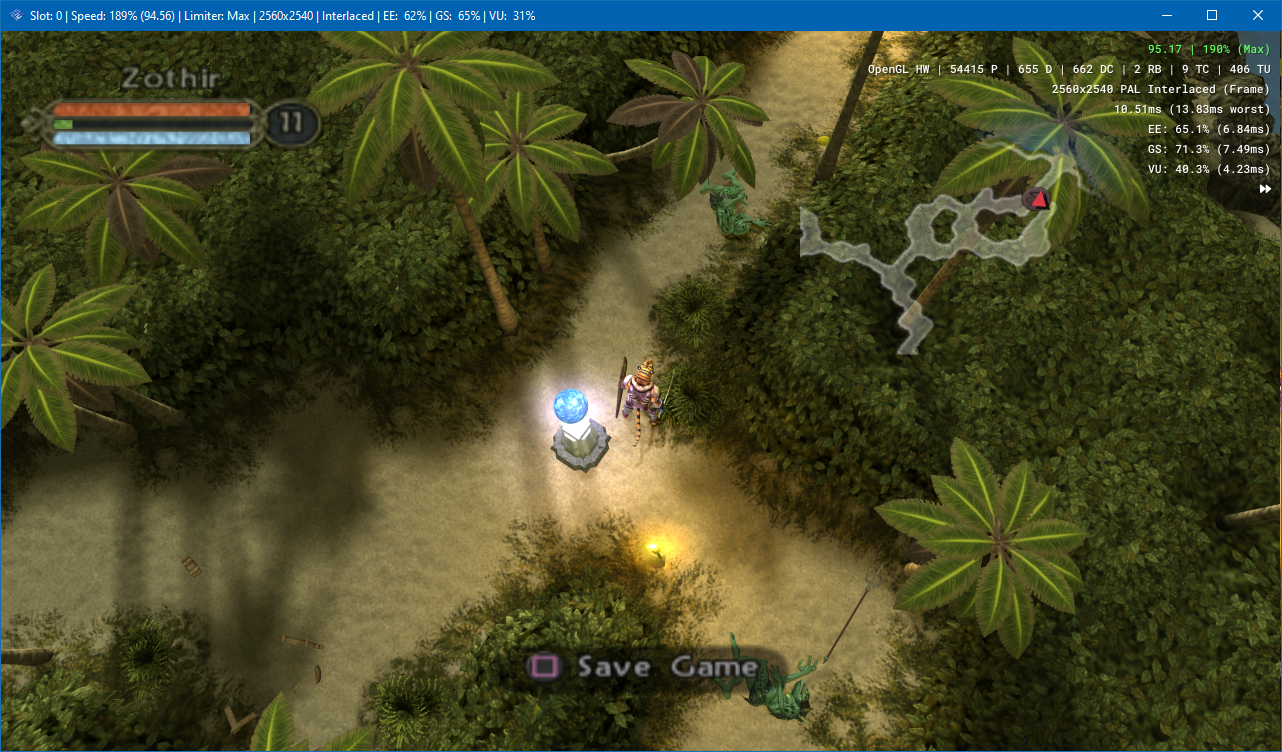
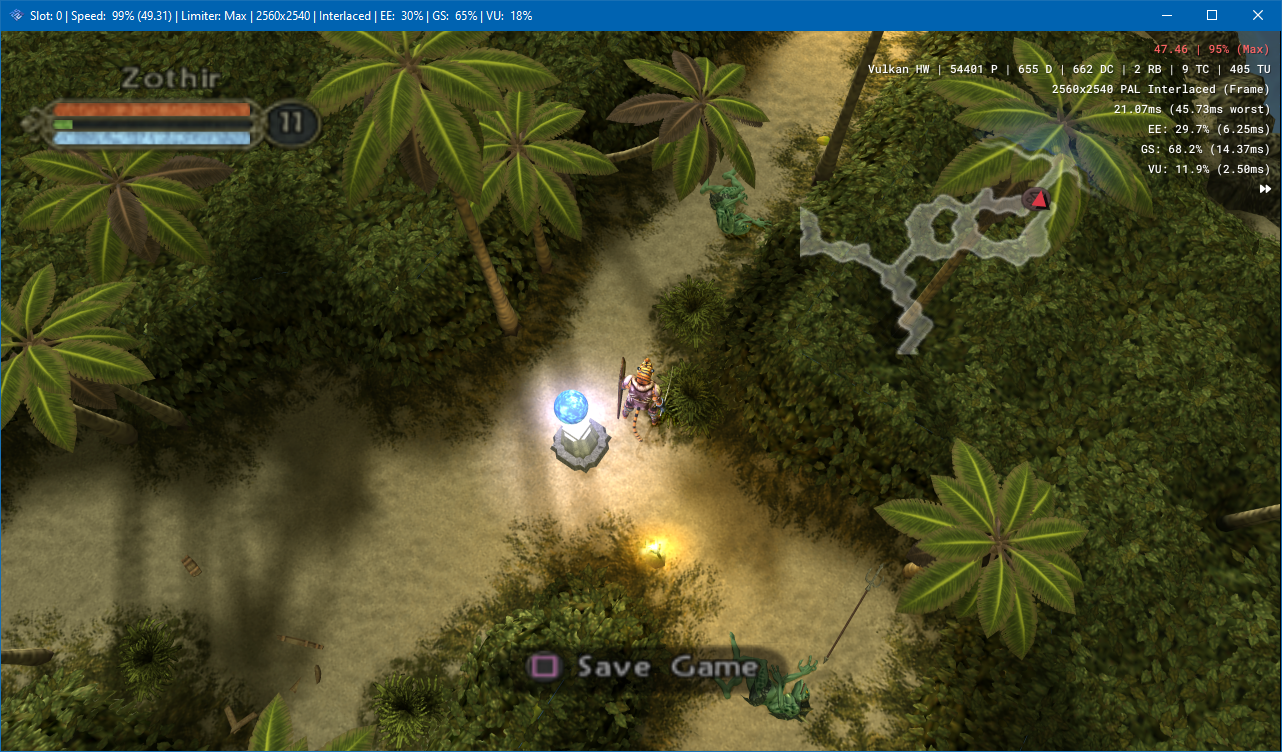
  • Speed. Vulkan can do handle high blending loads where even NVIDIA's GL driver struggles.
  • Future-proofiing.
  • In theory, more efficient than D3D/GL.

Scary line count is due to pulling in VulkanMemoryAllocator and the vulkan headers.

A note for anyone trying to start silly licensing drama: Yes, some of the wrapper code is originally from Dolphin and then Duckstation. In the former case, it's not the most recent code, it's based on the original code I myself contributed back in 2016, with large modifications, and I never signed a CLA. So I still have copyright over it and can re-license as I see fit (to LGPL here).

Suggested Testing Steps

Try blending games :) I've only been working on AMD for a while, hopefully the performance is still good on NVIDIA. No idea about Intel.

Currently, AMD is much slower than NVIDIA for blending. See refraction's post here: https://community.amd.com/t5/opengl-vulkan/vulkan-poor-performance-due-to-barrier-region-bit-being-ignored/td-p/501962

.. but it's still twice as fast as OpenGL on AMD :)

@stenzek
Copy link
Contributor Author

stenzek commented Dec 28, 2021

Will sort out the linux issues tomorrow when I have time to actually boot into linux, should be fine for testing after then.

@RedDevilus
Copy link
Contributor

RedDevilus commented Dec 28, 2021

Windows issue when opening Graphics settings while running a game:
When the renderer is OpenGL:

SetPixelFormat() failed: 0xC0070006
Failed to switch to surfaceless

When the renderer is Vulkan or when going from SW and pressing F9:
Hardcrash at times.

Other Vulkan issue:
Key combinations don't work but you could go use another renderer and then switch to make it work

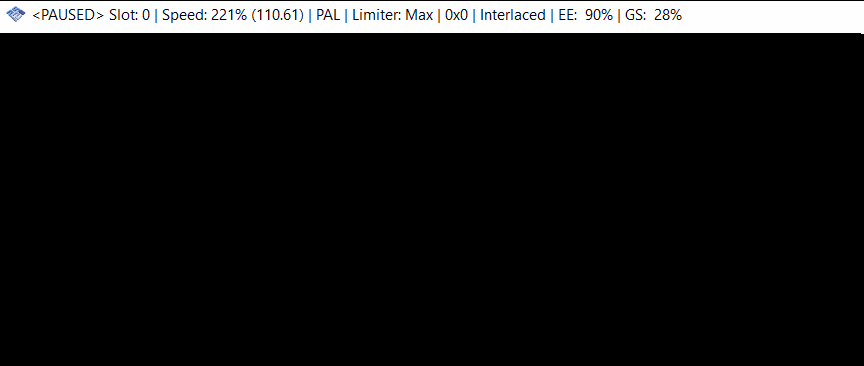
OpenGL to Vulkan can result:
image
But fine if I press resume.

You can't see renderer in title bar anymore, OSD is disabled by default (not everyone likes OSD)

@vitorhnn
Copy link

Built and did some quick (~5 min) testing on Linux w/ RADV, seems to mostly work, but required a small patch:

diff --git a/pcsx2/GS/Renderers/Vulkan/GSDeviceVK.cpp b/pcsx2/GS/Renderers/Vulkan/GSDeviceVK.cpp
index 14d56cb1f..36ced2592 100644
--- a/pcsx2/GS/Renderers/Vulkan/GSDeviceVK.cpp
+++ b/pcsx2/GS/Renderers/Vulkan/GSDeviceVK.cpp
@@ -30,6 +30,7 @@
 #include "HostDisplay.h"
 #include <sstream>
 #include <climits>
+#include <cfloat>
 
 #ifdef ENABLE_OGL_DEBUG
 static u32 s_debug_scope_depth = 0;
diff --git a/pcsx2/GS/Renderers/Vulkan/GSTextureVK.h b/pcsx2/GS/Renderers/Vulkan/GSTextureVK.h
index 8c9d19b24..fd4b5e169 100644
--- a/pcsx2/GS/Renderers/Vulkan/GSTextureVK.h
+++ b/pcsx2/GS/Renderers/Vulkan/GSTextureVK.h
@@ -24,14 +24,8 @@ class GSTextureVK final : public GSTexture
 public:
 	union ClearValue
 	{
-		struct
-		{
-			float depth;
-		};
-		struct
-		{
-			GSVector4 color;
-		};
+		float depth;
+		GSVector4 color;
 	};
 
 public:

@refractionpcsx2
Copy link
Member

refractionpcsx2 commented Dec 28, 2021

Weird things I had happen in a short time testing.

Edit: First two happen on the QT PR so posting there

  1. If you escape the emulation to close the GS window, then go in to the graphics settings, I think I changed the OSD settings, then Okayed it to come out, it opens a dead GS window, even though one shouldn't be open at this point. Although going to System-Resume does bring it back to life. This is apparently true in the QT Part 2 PR also.

  2. Trying to go in to the GS settings while the emulation is running, the following happens:

Vulkan: prints "Writing 506645 bytes to 'G:\ps2\gitrepo\vulkan\cache\vulkan_pipelines.bin'" then crashes to desktop
OpenGL: prints
"SetPixelFormat() failed: 0xC0070006
Failed to switch to surfaceless"
but does successfully go in to the options.

  1. Running Stolen US on the Vulkan renderer froze up and threw this exception after a few seconds
    D:\a\pcsx2\pcsx2\common\Vulkan\Context.cpp(985) : assertion failed:
    Function: Vulkan::Context::DoSubmitCommandBuffer
    Thread: MTGS
    Condition: false
    Message: Failed to submit command buffer.
    clicking ignore then shows
    (WaitForCommandBufferCompletion) vkWaitForFences failed: (-4: VK_ERROR_DEVICE_LOST)
    (Create) vmaCreateImage failed: (-2: VK_ERROR_OUT_OF_DEVICE_MEMORY)
    GS: Memory allocation failure.
    and spams the (Create) and GS:Memory allocation failure lines

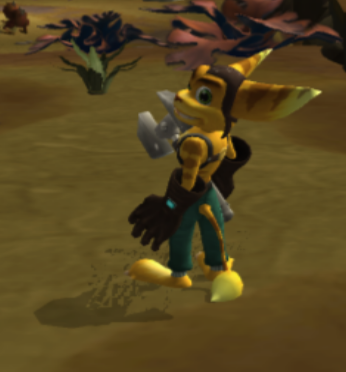
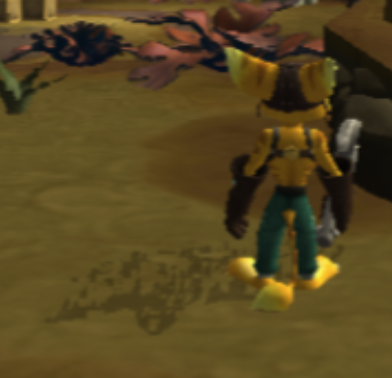
  2. Shadows are broken in Ratchet & Clank
    image

Edit: looks worse in native
image

@TransparentBlue
Copy link

TransparentBlue commented Dec 29, 2021

Anything I've tested (MGS2 / MGS3 / Rayman 2R / GT4 ) that either requires high / full blending for some effects and / or has massive performance drops from enabling blending at all ( #2355 ) gets anywhere from 1.25x to 4x framerate, MGS2/3 cutscenes being on the lower end of that Rayman 2R being on the upper end of that, no graphical difference that I could see either.

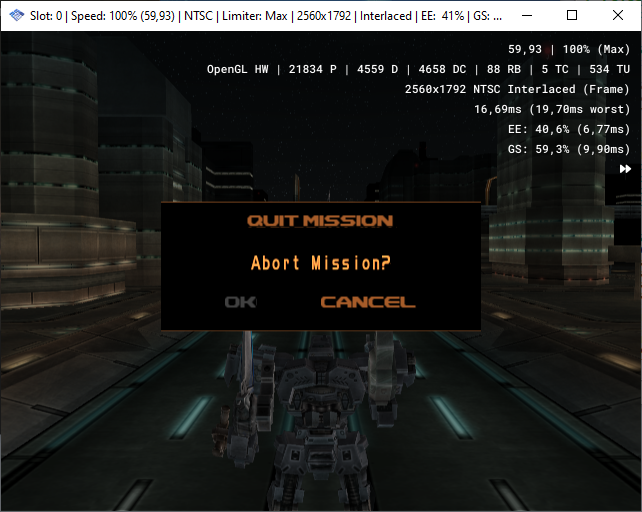
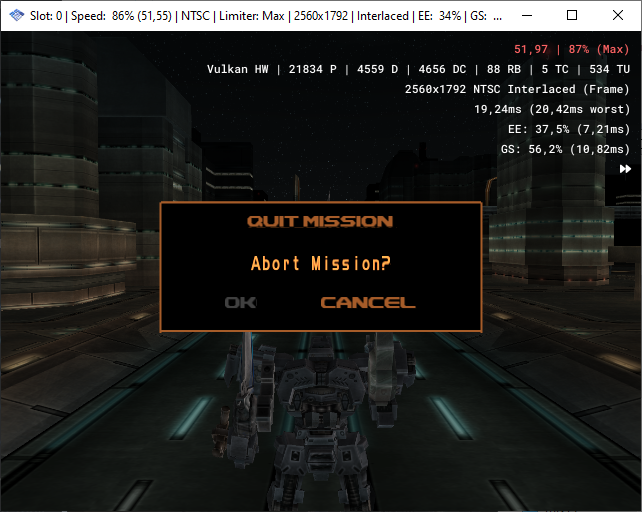
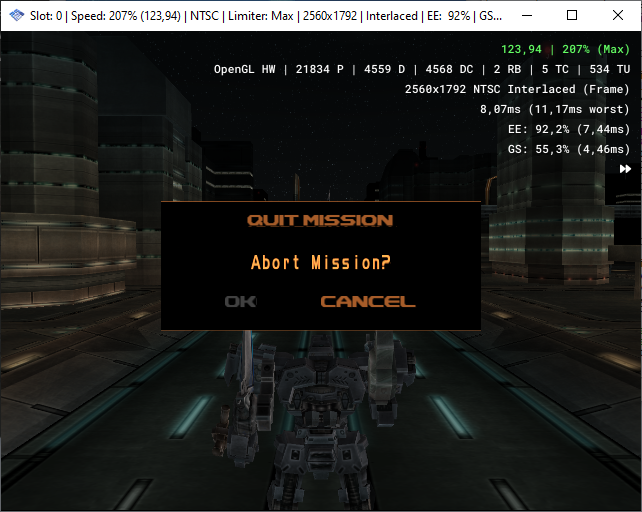
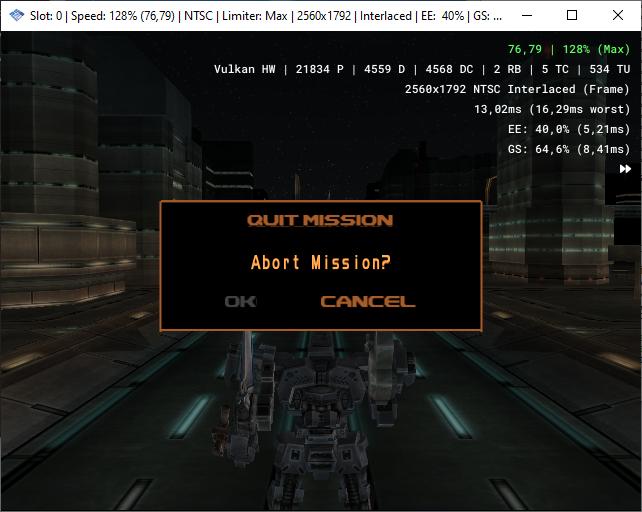
Performance regression on Armored Core 3 not sure why.
AC3 ogl
AC3 vk
GS dump for that scene
AC3 intro.gs.xz.zip
Thought it might have to do with depth emulation but disabling it makes the performance difference even bigger
AC3 ogl depth off
AC3 vk depth off

@arcum42
Copy link
Contributor

arcum42 commented Dec 29, 2021

Testing on Linux with the patches above applied:

When quitting while the emulator is running, it segfaults on vkUnmapMemory(g_vulkan_context->GetDevice(), m_memory); in Vulkan::StreamBuffer::Destroy. (Line 150 of StreamBuffer.cpp).

Looking at the backtrace, I'm guessing it destroys the context, then tries to call it?

[Switching to Thread 0x7ff559f1d640 (LWP 6475)]
0x000055eefada9060 in Vulkan::StreamBuffer::Destroy (this=this@entry=0x7ff5442ff0f8, defer=defer@entry=false) at /home/arcum42/Projects/stenzek-vulcan/pcsx2/common/Vulkan/StreamBuffer.cpp:150
150				vkUnmapMemory(g_vulkan_context->GetDevice(), m_memory);
(gdb) bt
#0  0x000055eefada9060 in Vulkan::StreamBuffer::Destroy(bool) (this=this@entry=0x7ff5442ff0f8, defer=defer@entry=false)
    at /home/arcum42/Projects/stenzek-vulcan/pcsx2/common/Vulkan/StreamBuffer.cpp:150
#1  0x000055eefadad4c5 in Vulkan::Context::~Context() (this=0x7ff5442fefa0, __in_chrg=<optimized out>) at /home/arcum42/Projects/stenzek-vulcan/pcsx2/common/Vulkan/Context.cpp:68
#2  0x000055eefadadc86 in std::default_delete<Vulkan::Context>::operator()(Vulkan::Context*) const (this=<optimized out>, __ptr=<optimized out>)
    at /usr/include/c++/11.1.0/bits/unique_ptr.h:79
#3  std::default_delete<Vulkan::Context>::operator()(Vulkan::Context*) const (__ptr=<optimized out>, this=<optimized out>) at /usr/include/c++/11.1.0/bits/unique_ptr.h:79
#4  std::__uniq_ptr_impl<Vulkan::Context, std::default_delete<Vulkan::Context> >::reset(Vulkan::Context*) (__p=0x0, this=0x55ef076f4348 <g_vulkan_context>)
    at /usr/include/c++/11.1.0/bits/unique_ptr.h:182
#5  std::unique_ptr<Vulkan::Context, std::default_delete<Vulkan::Context> >::reset(Vulkan::Context*) (__p=0x0, this=0x55ef076f4348 <g_vulkan_context>)
    at /usr/include/c++/11.1.0/bits/unique_ptr.h:456
#6  Vulkan::Context::Destroy() () at /home/arcum42/Projects/stenzek-vulcan/pcsx2/common/Vulkan/Context.cpp:415
#7  0x000055eefabde498 in Host::ReleaseHostDisplay() () at /home/arcum42/Projects/stenzek-vulcan/pcsx2/pcsx2/gui/AppHost.cpp:144
#8  0x000055eefa8ad6c9 in SysMtgsThread::CloseGS() (this=<optimized out>) at /home/arcum42/Projects/stenzek-vulcan/pcsx2/pcsx2/MTGS.cpp:565
#9  SysMtgsThread::OnSuspendInThread() (this=<optimized out>) at /home/arcum42/Projects/stenzek-vulcan/pcsx2/pcsx2/MTGS.cpp:570
#10 0x000055eefabc7dfc in SysThreadBase::StateCheckInThread() (this=0x55ef076efa20 <mtgsThread>) at /home/arcum42/Projects/stenzek-vulcan/pcsx2/pcsx2/System/SysThreadBase.cpp:356
#11 0x000055eefa8aaec7 in SysMtgsThread::ExecuteTaskInThread() (this=0x55ef076efa20 <mtgsThread>) at /home/arcum42/Projects/stenzek-vulcan/pcsx2/pcsx2/MTGS.cpp:277
#12 0x000055eefad8468a in Threading::pxThread::_try_virtual_invoke(void (Threading::pxThread::*)()) (this=0x55ef076efa20 <mtgsThread>, method=<optimized out>)
    at /home/arcum42/Projects/stenzek-vulcan/pcsx2/common/ThreadTools.cpp:571
#13 0x000055eefad86daa in Threading::pxThread::internal_callback_helper(void*) (itsme=0x55ef076efa20 <mtgsThread>) at /home/arcum42/Projects/stenzek-vulcan/pcsx2/common/ThreadTools.cpp:721
#14 Threading::pxThread::_internal_callback(void*) (itsme=0x55ef076efa20 <mtgsThread>) at /home/arcum42/Projects/stenzek-vulcan/pcsx2/common/ThreadTools.cpp:709
#15 0x00007ff5721f9259 in start_thread () at /usr/lib/libpthread.so.0
#16 0x00007ff5704715e3 in clone () at /usr/lib/libc.so.6
(gdb) quit

(When rerunning, at the same point)
(gdb) print m_memory
$1 = (VkDeviceMemory) 0x7f4aa42fbd00
(gdb) print g_vulkan_context
$2 = std::unique_ptr<Vulkan::Context> = {get() = {<No data fields>}}```

@MrCK1
Copy link
Member

MrCK1 commented Dec 29, 2021

  • Tested on Windows. I am able to reproduce the crash opening graphics settings.
  • Mild performance improvement across games bottlenecked by blending.

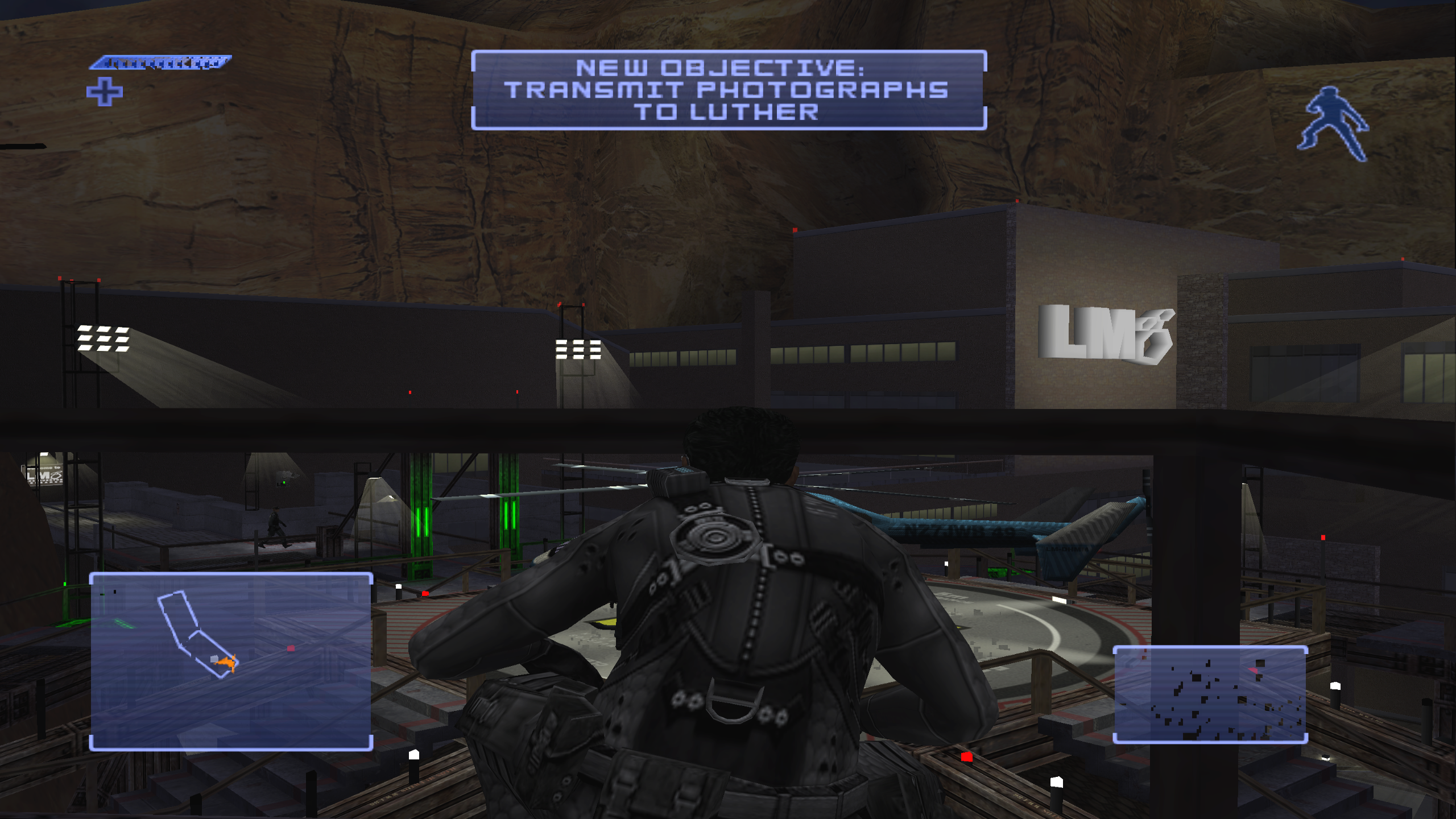
Did notice a bug when HW upscaling in Hitman Contracts - the pixels of the menu font can be seen "swimming" back and forth. Does not occur with OpenGL SW/HW.

Slot_.0._.Speed_.62.37.32._.NTSC._.Limiter_.Max._.2560x1792._.Interlaced._.2021-12-28.21-11-02.mp4

Maybe the same bug as Mission Impossible here -
pcsx2-avx2_2021_12_28_21_18_40_856

GS Dump (rename to .xz)
mi_vulkan.zip

@TellowKrinkle
Copy link
Member

TellowKrinkle commented Dec 29, 2021

Closing Vulkan GSdump playback in the GS debugger crashes PCSX2Fixed

@stenzek
Copy link
Contributor Author

stenzek commented Dec 29, 2021

Anything I've tested (MGS2 / MGS3 / Rayman 2R / GT4 ) that either requires high / full blending for some effects and / or has massive performance drops from enabling blending at all ( #2355 ) gets anywhere from 1.25x to 4x framerate, MGS2/3 cutscenes being on the lower end of that Rayman 2R being on the upper end of that, no graphical difference that I could see either.

You didn't post what your GPU is.

@TransparentBlue
Copy link

TransparentBlue commented Dec 29, 2021

You didn't post what your GPU is.

Sorry about that.
Nvidia GTX 1080ti w/ 472.12 drivers

EDIT: very slight performance increase with 497.29 drivers but still below OGL

@Dreadmoth
Copy link
Contributor

Dreadmoth commented Dec 29, 2021

Shadows are broken in Ratchet & Clank

Strange, they work fine for me on OpenGL and Vulkan with either method:
• Minimum blending accuracy and auto flush on at native resolution
• Basic or higher blending at native or any higher resolution

Ratchet & Clank PAL SCES-50916
i7-4770, GTX1070 Ti (driver 497.29)
Windows 10 21H2

I get a nice performance improvement in one of the heavy areas in R&C (47FPS OGL → 52FPS VK)

@arcum42
Copy link
Contributor

arcum42 commented Dec 29, 2021

After the last force push, linux compiles without issues, and the segfault I listed on quit no longer happens.

@refractionpcsx2
Copy link
Member

Shadows are broken in Ratchet & Clank

Strange, they work fine for me on OpenGL and Vulkan with either method: • Minimum blending accuracy and auto flush on at native resolution • Basic or higher blending at native or any higher resolution

Ratchet & Clank PAL SCES-50916 i7-4770, GTX1070 Ti (driver 497.29) Windows 10 21H2

yeah it seems barriers just aren't working for me at all on my 2080Ti.. gonna try updating my drivers (I'm on like 494)

@refractionpcsx2
Copy link
Member

Driver update fixed Ratchet

@MrCK1
Copy link
Member

MrCK1 commented Dec 29, 2021

Disgregard my post, my graphica issues were fixed by updating Nvidia drivers as well

@Dreadmoth
Copy link
Contributor

Dreadmoth commented Dec 29, 2021

Snowblind Engine seems to be unhappy - graphics are fine, but performance can be halved in some scenes:

Champions: Return to Arms OpenGL - 95FPS

Champions: Return to Arms Vulkan - 49FPS

(similar results in Baldur's Gate: Dark Alliance and Fallout: Brotherhood of Steel)

i7-4770, GTX1070 Ti (driver 497.29)
Windows 10 21H2

@stenzek
Copy link
Contributor Author

stenzek commented Dec 29, 2021

Snowblind Engine seems to be unhappy - graphics are fine, but performance can be halved in some scenes:

Champions: Return to Arms OpenGL - 95FPS

Champions: Return to Arms Vulkan - 49FPS

(similar results in Baldur's Gate: Dark Alliance and Fallout: Brotherhood of Steel)

i7-4770, GTX1070 Ti (driver 497.29) Windows 10 21H2

Possibly the texture uploads. I have another feature (not currently in this PR) which makes it much more efficient for vulkan, but still needs some work with handling mipmaps.

@Risae
Copy link
Contributor

Risae commented Dec 29, 2021

Found 2 issues, those do not seem to exist in the OpenGL or DX11 Renderer.

OS: Windows 10 Pro 21H2, Build 19044.1415
CPU: AMD Ryzen 7 2700X
GPU: Nvidia RTX 2070, Driver version 497.29

Game: Growlanser VI: Precarious World SLPM-66716
PCSX2 version: PCSX2-64bit-AVX2-pr[5224]-sha[442e1f7]-title[[WIP] GS Add a Vulkan renderer]
PCSX2 Settings:

  1. "Clear All Settings" and restarted PCSX2
  2. Config > Graphics Settings: Renderer changed to "Vulkan"
  3. Config > Audio Settings: Changed Audio Module to "Cubeb"
  4. Config > GamePad Settings: Imported PAD File through "Load Bindings"
  5. System: Disable "Fast Boot"
  6. System > Game Settings: Enable "Enable Cheats" (in order to go to the debug room of the game)

Issue 1 - Flickering of the screen background textures:
Video: https://www.youtube.com/watch?v=bdWb7Rjxexw
GS Dump: gs_20211229062410.gs.xz.zip
Savestate: SLPM-66716 - (F0DCF949).zip

Issue 2 - Using the PCSX2 Capture feature "Start Video Capture" seems to completely break the textures:
Video: https://www.youtube.com/watch?v=KUGMcKfe-bM
GS Dump: gs_20211229062631.gs.xz.zip
Savestate: SLPM-66716 - (F0DCF949).zip

Be aware that the games Growlanser 5 and 6 are affected by this bug:
#4925
This is also present in the Vulkan Renderer and doesn't affect those 2 issues, so i left the game hack "Preload Frame Data" turned off.
Changing "Blending Accuracy" does not seem to affect those issues.
Let me know if you need more information and thank you so much for the Vulkan Renderer!

@Tokman5
Copy link
Contributor

Tokman5 commented Dec 29, 2021

Windows 10 Home 21H1
Intel Core i7-8700 @ 3.2GHz
NVIDIA GTX1070 Studio Driver 472.84
PCSX2 version: 442e1f7 and 48f9e0b
Game: All of Jikkyou Powerful Pro Yakyuu series I have (7, 8, 9, 10, 11, 12, 2009) and Jikkyou Powerful Major League 2009

PCSX2 seems to render only every 2 frames while FMV playing.
this causes screen flickering if deinterlace mode is set to none or bob. If weave tff/bff is set, it is just like a scanline effect. Blend tff/bff make the image darker.

This happens only with Vulkan. OGL, D3D11, and Software don't have this problem.
FMVs of any other games I tried seem to be fine. I think it's because Jikkyou ~ series set different GS register settings from other games.

gs_20211229152901.gs.zip
multi frame dump of the opening FMV of ~ Pro Yakyuu 11 taken in 442e1f7.

Edit:
blockdump.zip

@lightningterror lightningterror added this to the Release 1.8 milestone Jan 8, 2022
@refractionpcsx2 refractionpcsx2 merged commit 81a139b into PCSX2:master Jan 8, 2022
@RedDevilus
Copy link
Contributor

Fixes #1047

@nobleflame
Copy link

This is great, thanks to all involved for this. It's massively improved performance.

@Ghaleon7771
Copy link

I dont know if i downloaded a bad build... i am able to select Vulkan as a driver, but i see no major performance VS Open GL. I am using a R7 360 video card.

@refractionpcsx2
Copy link
Member

it depends if you're limited by the GS/GPU.

but OpenGL should be slower than Vulkan, if that's what you're limited on. But going off your GPU, I'm not expecting your CPU to be too great.

@Ghaleon7771
Copy link

it depends if you're limited by the GS/GPU.

but OpenGL should be slower than Vulkan, if that's what you're limited on. But going off your GPU, I'm not expecting your CPU to be too great.

Yeah, my PC is s**** its old and outdated, the CPU is a I3 3240, i cant expect miracles with this garbage PC, so you are right. The issue is my poor´s CPU/GPU

@OCRBonk
Copy link

OCRBonk commented Jan 9, 2022

Not sure if relevant since it requires a hack but
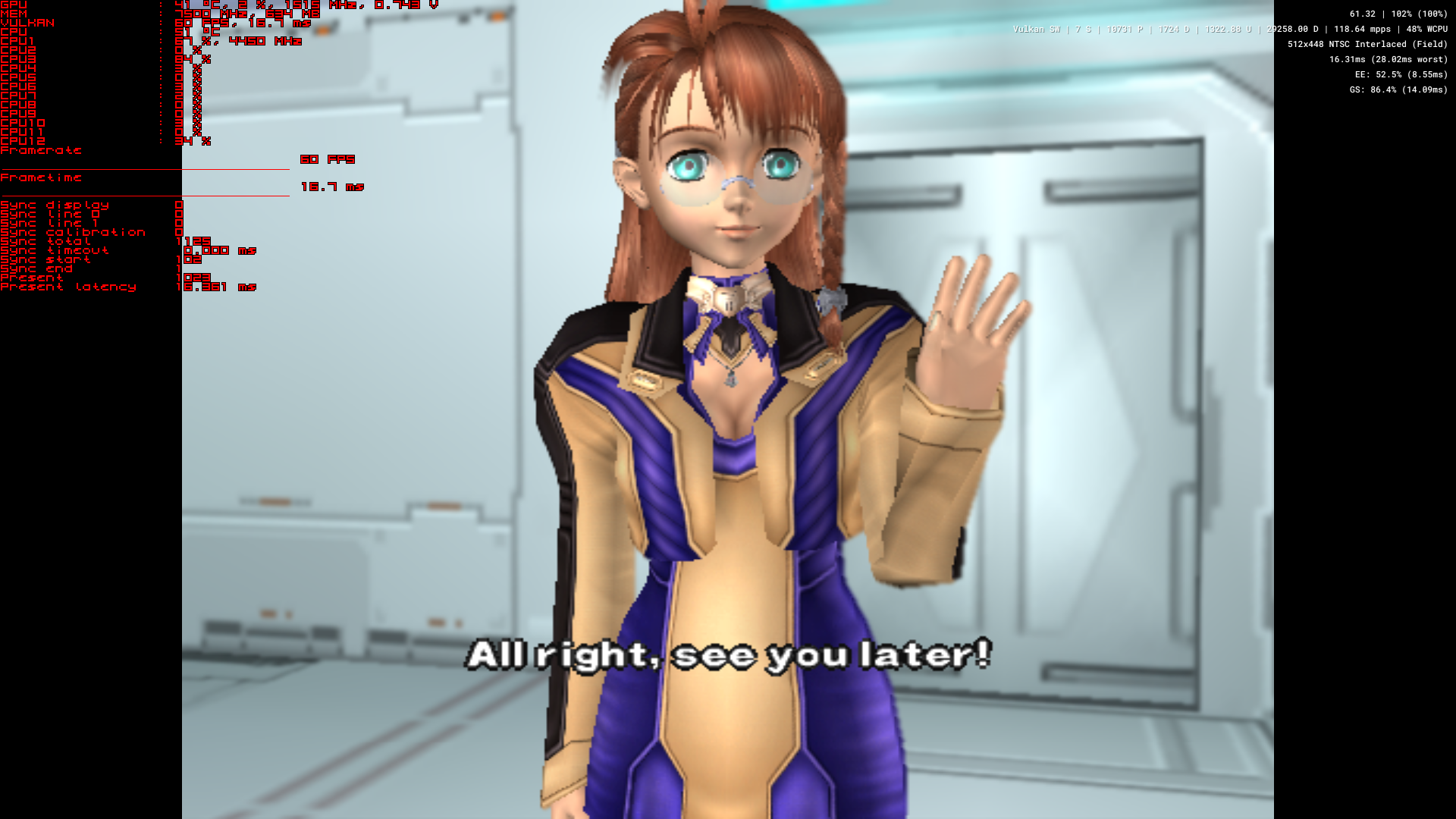
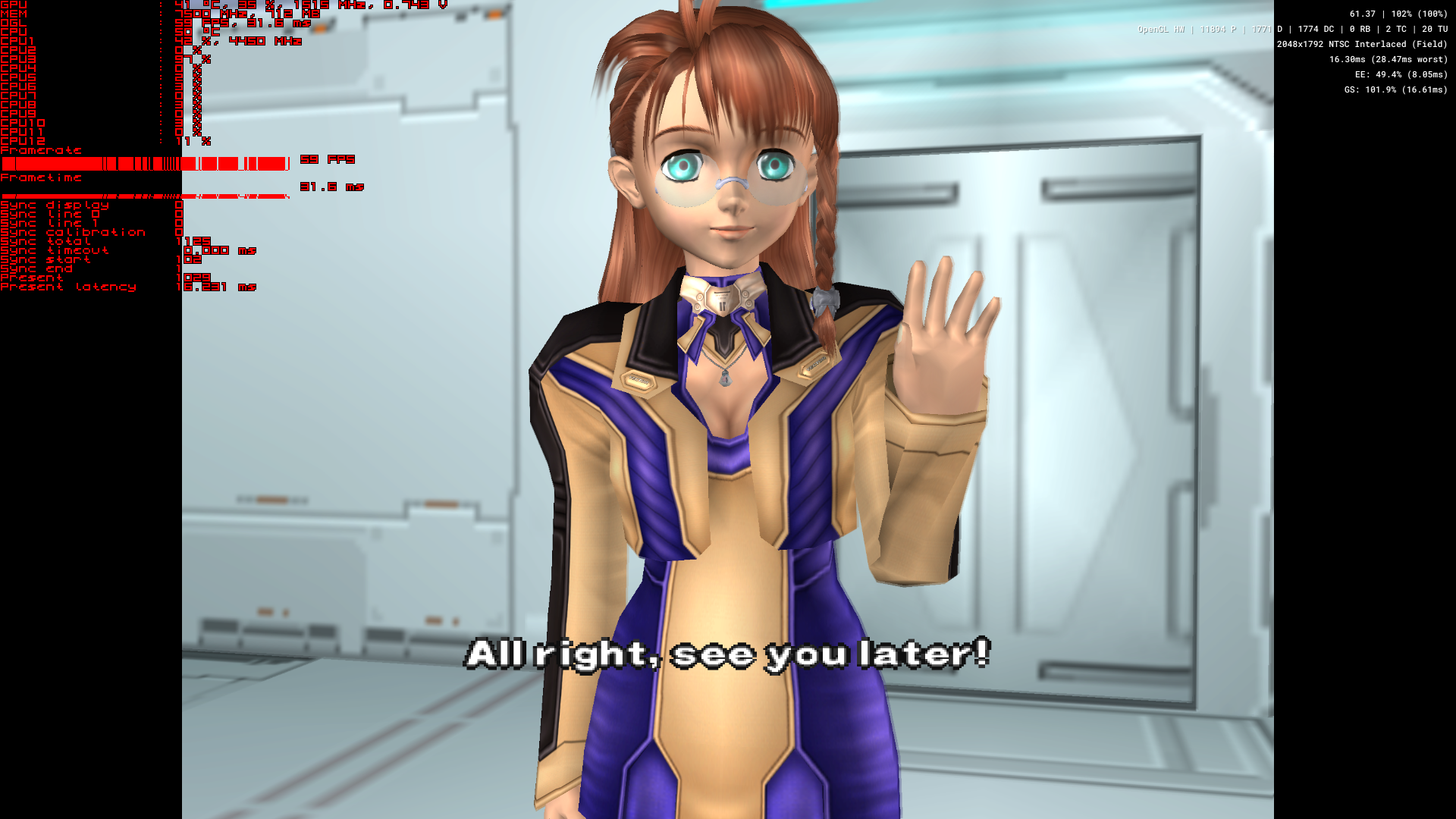
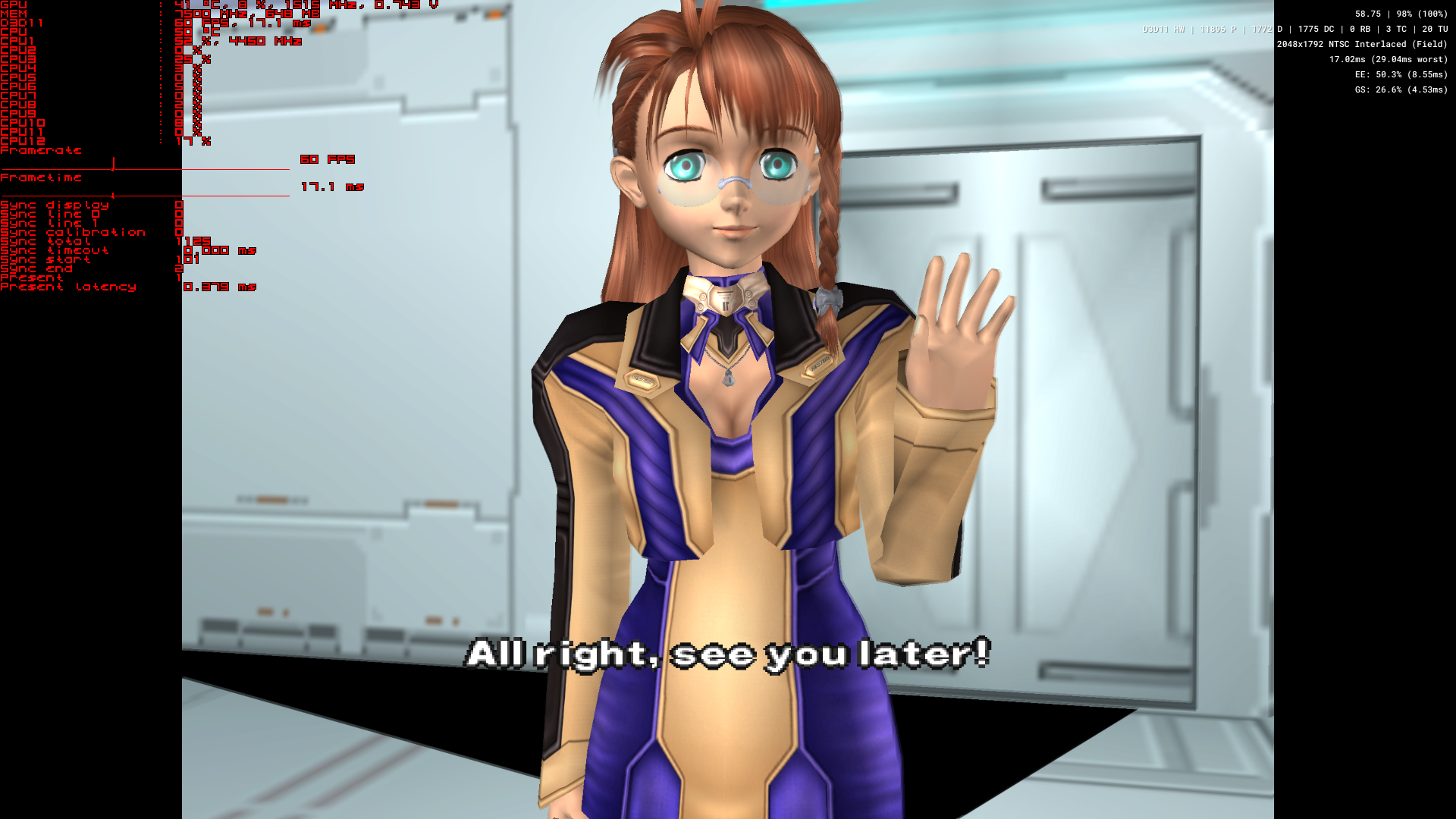
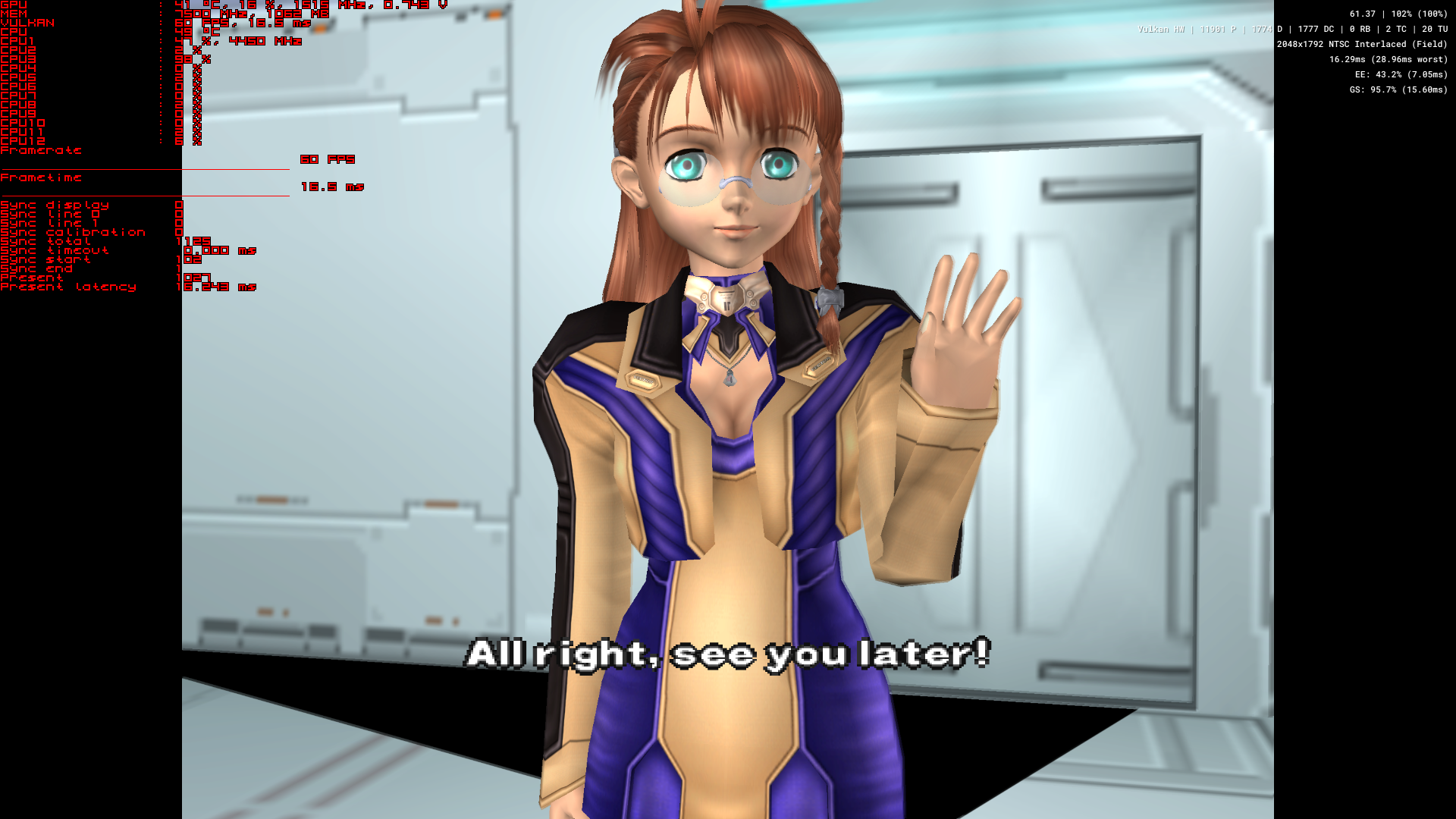
Xenosaga I requires Half Pixel Offset: Special (Texture) in order to fix the shadow puppet lines *and display shadows in cutscenes properly. Otherwise you get strange clipping glitches.
This only works in OpenGL but the blending can require much more performance out of the GPU.
At 4x res on an RTX 2080 just in this one scene GPU usage can drop by 15-20% on Vulkan vs OpenGL. (And that just at the Basic Blending level. Can be as high as a 30% drop on Ultra)
But with Vulkan you can't seem to get rid of the shadow puppet lines and get correct shadows in Cutscenes. Same as in DX11. Only 1 or the other.
Software:
pcsx2-avx2_2022_01_08_22_11_05_545
OpenGl
pcsx2-avx2_2022_01_08_22_09_52_666
DX11
pcsx2-avx2_2022_01_08_22_11_48_101
Vulkan
pcsx2-avx2_2022_01_08_22_10_34_191

@brad86m
Copy link

brad86m commented Jan 10, 2022

Holy shit at the input latency reduction with Vulkan. This is the most important advancement to me. The emulator has been plagued for year and years with such high latency that made so many games near unplayable. Fighting, or action games like DMC and God Hand felt such a chore to play. The latency pretty much stripped all the fun from otherwise superb games, and didn't make the emulation route viable for anything that wasn't slower paced, like horror and RPG's. Orignal members of the team didn't seem interested in implementing exclussive fullscreen, or trying to remedy the latency issues, after so many years of users begging for it. Recent changes to the team, and some skilled fresh blood willing to help with the emualtor has started to make a big difference.
The recent MTGS option was a start, but that only helped to a small degree. Vulkan on the other hand seems to have made an absolute massive difference.

Really happy with this. Thank you.

@refractionpcsx2
Copy link
Member

refractionpcsx2 commented Jan 10, 2022

@brad86m The problem you had was the windows DWM, which is mostly bypassed in the renderers now thanks to a new host window, not Vulkan specifically.

We were always interested in sorted that out, several of us spent weeks if not months doing tests and dissecting where the lag was coming from and making changes to try and reduce it, so please don't say we didn't seem interested, because that's false.

@stenzek
Copy link
Contributor Author

stenzek commented Jan 10, 2022

The renderer has nothing to do with input latency.

@stenzek stenzek deleted the vulkan-pr branch January 10, 2022 09:09
@brad86m
Copy link

brad86m commented Jan 10, 2022

Apologies. I didn't mean to aim that at the majority of team members. Going by what I have witnessed from mainly many years ago. On the old forum before Discord, and other modern ways of communicating on these topic. Some older team members were really arrogant to people that asked them even basic things. Sure, they owed us absolutely nothing, and their time put into the project was always appreciated, but I never understood why there was so much shitty communication between those devs and users.
That's history, though. Things are looking up, big time.

@F0bes
Copy link
Member

F0bes commented Jan 10, 2022

It is in dev builds, the PR has been merged.

@PCSX2 PCSX2 locked as spam and limited conversation to collaborators Jan 10, 2022
Sign up for free to subscribe to this conversation on GitHub. Already have an account? Sign in.

Projects

None yet

Development

Successfully merging this pull request may close these issues.