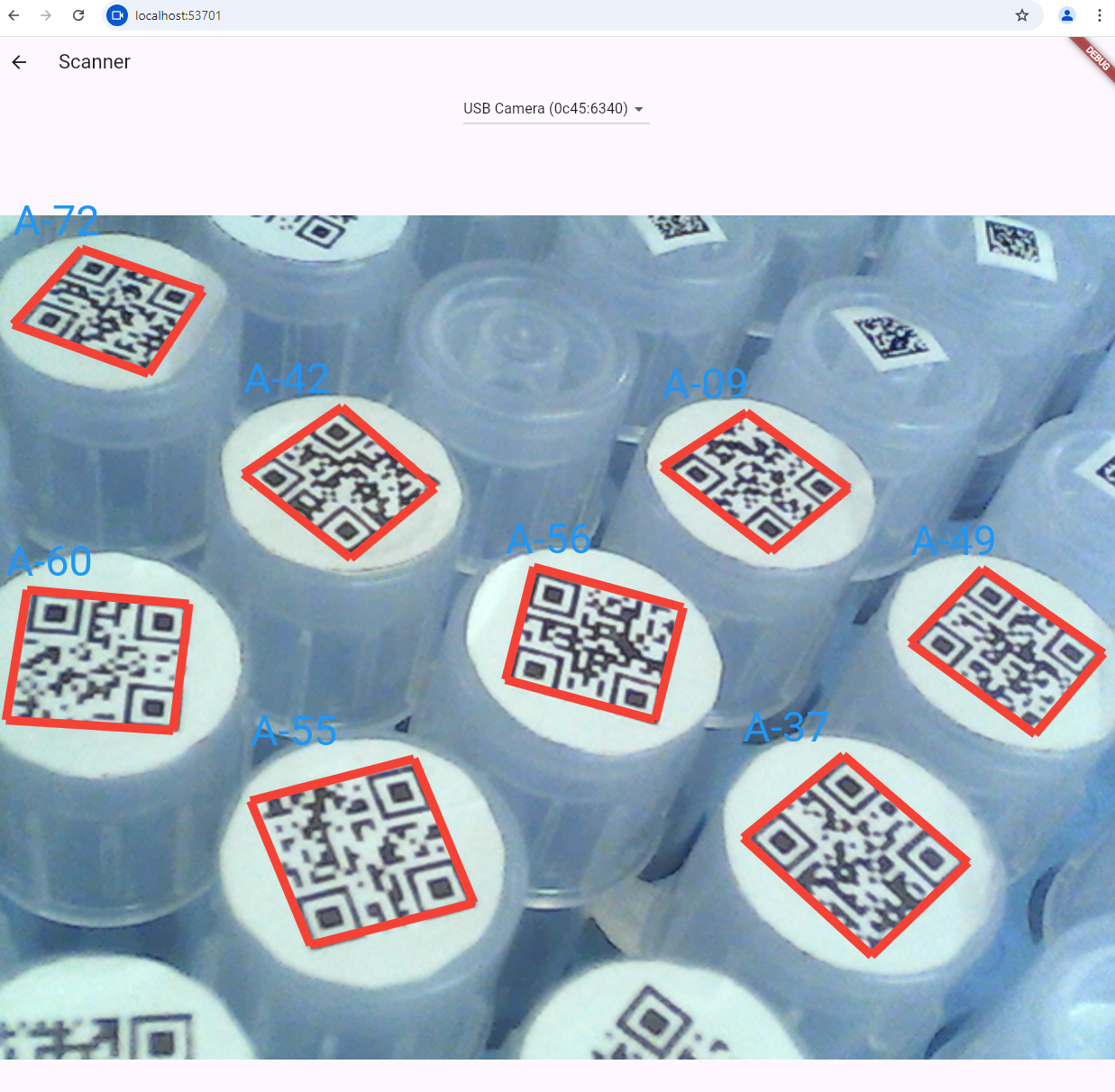
A cross-platform Flutter plugin for barcode reading and scanning, powered by the Dynamsoft Barcode Reader SDK. Supports Android, iOS, Web, Windows, and Linux.
Decode a wide range of 1D and 2D barcode symbologies from image files and raw pixel buffers. Build robust barcode reader and scanner applications with minimal effort.
Tip: For production-grade live camera scanning, consider using the official Dynamsoft Capture Vision Flutter Edition which offers optimized real-time performance.
- Getting Started
- Supported Platforms
- Supported Barcode Symbologies
- Platform Configuration
- Usage
- API Reference
- Examples
- License
dependencies:
flutter_barcode_sdk: ^4.1.0A valid license is required to activate barcode decoding functionality.

import 'package:flutter_barcode_sdk/flutter_barcode_sdk.dart';
import 'package:flutter_barcode_sdk/dynamsoft_barcode.dart';

final barcodeReader = FlutterBarcodeSdk();
await barcodeReader.setLicense('YOUR-LICENSE-KEY');
await barcodeReader.init();| Platform | Status |
|---|---|
| Android | Supported |
| iOS | Supported |
| Web | Supported |
| Windows | Supported |
| Linux | Supported |
Code 39 (including Extended) | Code 93 | Code 128 | Code 11 | Code 32 | Codabar | Interleaved 2 of 5 | Industrial 2 of 5 | Matrix 2 of 5 | EAN-8 | EAN-13 | UPC-A | UPC-E | MSI Code | Telepen | Telepen Numeric
QR Code (including Micro QR) | Data Matrix | PDF417 (including Micro PDF417) | Aztec Code | MaxiCode (modes 2-5) | DotCode
Omnidirectional | Truncated | Stacked | Stacked Omnidirectional | Expanded | Expanded Stacked | Limited
USPS Intelligent Mail | Postnet | Planet | Australian Post | Royal Mail (RM4SCC) | KIX
Patch Code | GS1 Composite Code | Pharmacode (One-Track / Two-Track) | Non-standard Barcode
Set the minimum SDK version in android/app/build.gradle:
minSdkVersion 21Add camera usage descriptions to ios/Runner/Info.plist:
<key>NSCameraUsageDescription</key>
<string>Camera access is required for barcode scanning.</string>
<key>NSMicrophoneUsageDescription</key>
<string>Microphone access is required by the camera plugin.</string>Ensure CMake and a platform-specific C++ compiler are installed.
Include the Dynamsoft JavaScript SDK in web/index.html:
<script src="https://cdn.jsdelivr.net/npm/dynamsoft-barcode-reader-bundle@11.2.4000/dist/dbr.bundle.js"></script>List<BarcodeResult> results = await barcodeReader.decodeFile('path/to/image.png');
for (var result in results) {
print('${result.format}: ${result.text}');
}List<BarcodeResult> results = await barcodeReader.decodeImageBuffer(
bytes, // Uint8List - raw pixel data
width, // Image width
height, // Image height
stride, // Bytes per row
format, // Pixel format index (e.g., ImagePixelFormat.IPF_NV21.index)
rotation, // 0, 90, 180, or 270
);await barcodeReader.setBarcodeFormats(
BarcodeFormat.QR_CODE | BarcodeFormat.CODE_128 | BarcodeFormat.EAN_13,
);String params = await barcodeReader.getParameters();
// Modify the JSON string as needed...
await barcodeReader.setParameters(params);| Method | Description | Return |
|---|---|---|
setLicense(String license) |
Activates the SDK with a license key. | Future<int> |
init() |
Initializes the barcode reader with default parameters. | Future<int> |
decodeFile(String filename) |
Decodes barcodes from an image file. | Future<List<BarcodeResult>> |
decodeImageBuffer(...) |
Decodes barcodes from raw pixel data (camera preview, etc.). | Future<List<BarcodeResult>> |
setBarcodeFormats(int formats) |
Sets which barcode formats to detect. | Future<int> |
getParameters() |
Returns the current detection settings as JSON. | Future<String> |
setParameters(String params) |
Updates detection settings from a JSON string. | Future<int> |
See BarcodeFormat for all available format constants and ImagePixelFormat for supported pixel formats.
cd example
flutter run| Barcode Scanner | Barcode Reader |
|---|---|
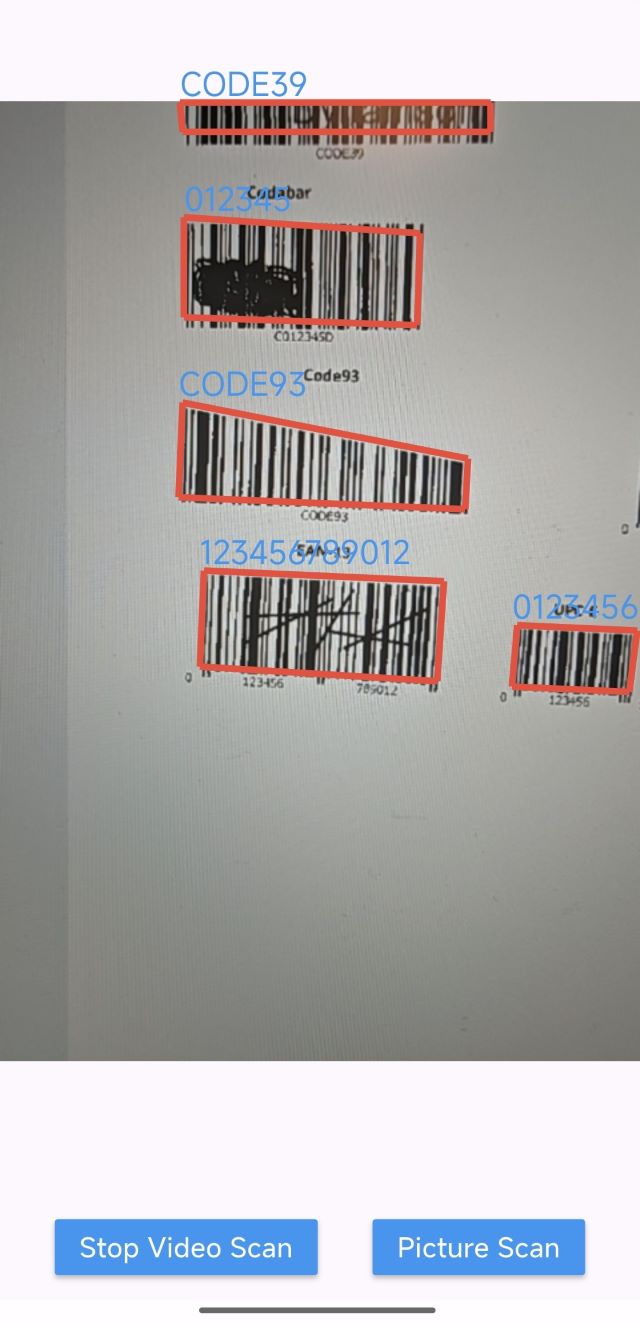 |
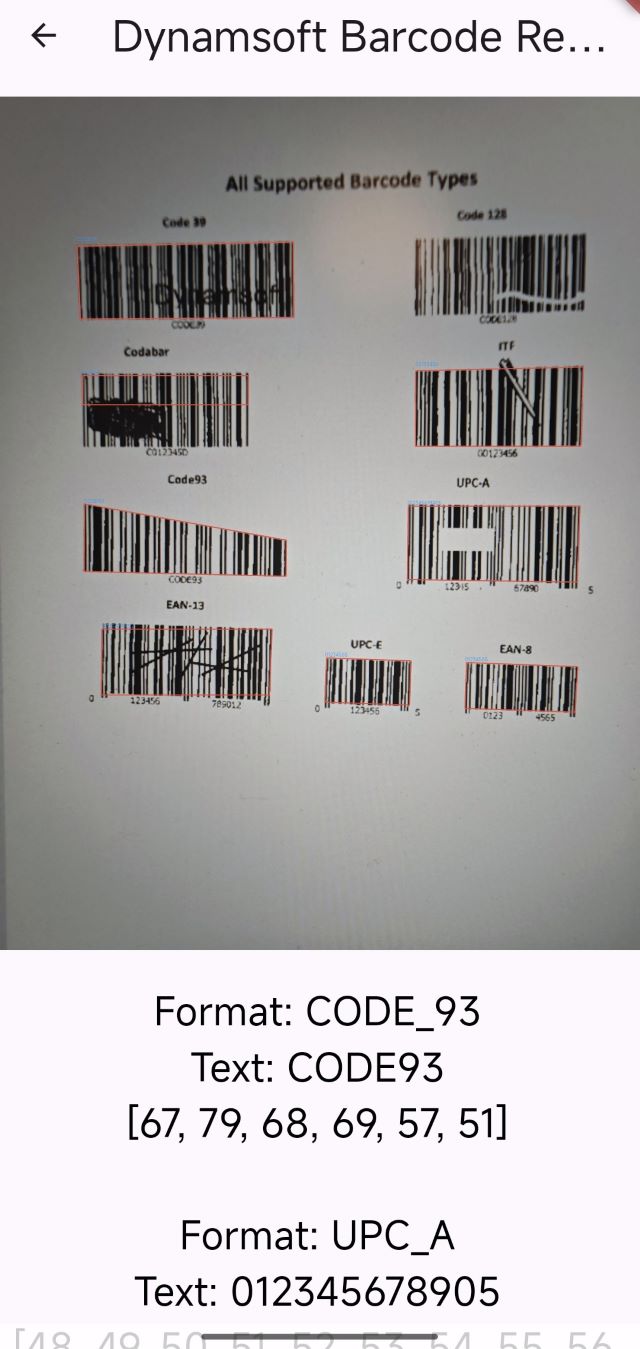 |
cd example
flutter run -d windows # or -d linuxcd example
flutter run -d chrome